Amazon Vendor Central Promotion Performance Report

Promotion name, type, status, start and end dates, amount spent, revenue, units sold, and glance views per promotion and per product in your Amazon Vendor Central account.

amazon vendor central reports api and data fields

4.8 Rating · 11k+ Downloads · Trusted by Sellers

Encased
Pet Lovers
Vahdam Teas
Boldify
Viva Naturals
Hyperzon
Ridgeline Insights
Lovebug Probiotics
Encased
Pet Lovers
Vahdam Teas
Boldify
Viva Naturals
Hyperzon
Ridgeline Insights
Lovebug Probiotics
Last updated -
October 28, 2026

What This Report Covers

✅ Promotion name, type, status, and start and end dates for every promotion in your Amazon Vendor Central account

‍

✅ Amount Spent, Revenue, Units Sold, and Glance Views per promotion, with a Product version of each per product

‍

✅ Funding Agreement ID, Vendor Code, and a currency field for each amount

The Amazon Vendor Central Promotion Performance report pulls promotion data from your Amazon Vendor Central account. It covers promotion ID, name, type, and status, funding agreement ID, start, end, created, and last updated date and time, amount spent, revenue, units sold, and glance views, at promotion level and product level, with currency for each amount. For coupon results, see the Coupon Performance report. This report is part of our Amazon Vendor Central Reports dataset.

Supported Fields

|Report Name|API|Field Name|Description| |---|---|---|---| |Promotion Performance|Amazon Vendor Promotion Performance API|Marketplace|Amazon marketplace of the promotion| |Promotion Performance|Amazon Vendor Promotion Performance API|Promotion ID|ID of the promotion| |Promotion Performance|Amazon Vendor Promotion Performance API|Promotion Name|Name of the promotion| |Promotion Performance|Amazon Vendor Promotion Performance API|ASIN|Amazon Standard Identification Number of the item| |Promotion Performance|Amazon Vendor Promotion Performance API|Vendor Code|Vendor code linked to the promotion| |Promotion Performance|Amazon Vendor Promotion Performance API|Funding Agreement ID|ID of the funding agreement| |Promotion Performance|Amazon Vendor Promotion Performance API|Type|Type of the promotion| |Promotion Performance|Amazon Vendor Promotion Performance API|Status|Status of the promotion| |Promotion Performance|Amazon Vendor Promotion Performance API|Amount Spent Currency|Currency of the amount spent| |Promotion Performance|Amazon Vendor Promotion Performance API|Revenue Currency|Currency of the revenue| |Promotion Performance|Amazon Vendor Promotion Performance API|Start Datetime|Start date and time of the promotion| |Promotion Performance|Amazon Vendor Promotion Performance API|End Datetime|End date and time of the promotion| |Promotion Performance|Amazon Vendor Promotion Performance API|Created Datetime|Date and time the promotion was created| |Promotion Performance|Amazon Vendor Promotion Performance API|Last Updated Datetime|Date and time the promotion was last updated| |Promotion Performance|Amazon Vendor Promotion Performance API|Product Name|Name of the product| |Promotion Performance|Amazon Vendor Promotion Performance API|Product Amount Spent Currency|Currency of the product amount spent| |Promotion Performance|Amazon Vendor Promotion Performance API|Product Revenue Currency|Currency of the product revenue| |Promotion Performance|Amazon Vendor Promotion Performance API|Units Sold|Number of units sold in the promotion| |Promotion Performance|Amazon Vendor Promotion Performance API|Glance Views|Number of glance views in the promotion| |Promotion Performance|Amazon Vendor Promotion Performance API|Amount Spent|Amount spent on the promotion| |Promotion Performance|Amazon Vendor Promotion Performance API|Revenue|Revenue from the promotion| |Promotion Performance|Amazon Vendor Promotion Performance API|Product Glance Views|Number of glance views of the product| |Promotion Performance|Amazon Vendor Promotion Performance API|Product Units Sold|Number of units sold of the product| |Promotion Performance|Amazon Vendor Promotion Performance API|Product Amount Spent|Amount spent on the product| |Promotion Performance|Amazon Vendor Promotion Performance API|Product Revenue|Revenue from the product|

What Vendors Use This For

Compare promotion results. Amount Spent, Revenue, Units Sold, and Glance Views sit in the same row for each promotion.

See results per product. Product Amount Spent, Product Revenue, Product Units Sold, and Product Glance Views show the same results at product level, with Product Name and ASIN.

Track daily changes. Use the Last X Daily Values period to get day-by-day values for the number of past days you select.

Focus on one promotion status or type. Filter by Promotion Status or Promotion Type, with EQUALS or CONTAINS, to see only those promotions.

How Gorilla ROI Pulls This Data

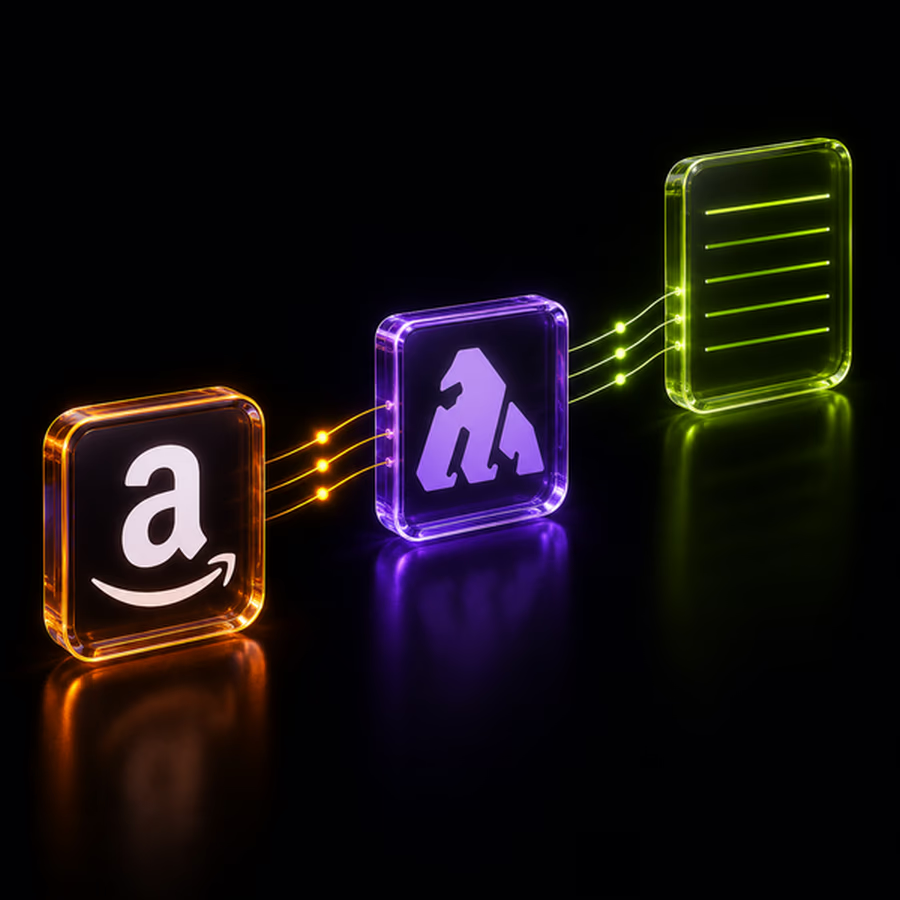
Gorilla ROI connects to your Amazon Vendor Central account and pulls your Promotion Performance data directly. Data updates automatically on a regular schedule. No csv exports. No manual downloads. The numbers are current the moment you open your report. Feed AI with our data to stay on top and ahead of your business.

For setup instructions, see the Amazon Vendor Central Data Supported article in our help center.

Our Amazon Vendor Central Reports and Fields

This data is available through our Amazon Vendor Central Reports

| Report | What It Covers | Fields | |---|---|---| | [Purchase Orders](/amazon-vendor-central-reports/purchase-orders/) | PO number, state, type, and status, order date, ship window, confirmation and receive status, ordered, accepted, rejected, and received quantities, net cost, and list price per ASIN and vendor SKU | 36 | | [Shipments](/amazon-vendor-central-reports/shipments/) | Shipment ID, status, freight term, ship and transportation mode, carrier details, bill of lading, shipped and delivery dates, shipped quantity, weight, volume, and carton and pallet counts per PO line | 42 | | [Sales](/amazon-vendor-central-reports/sales/) | Ordered revenue and units, shipped revenue, units, and COGS, and customer returns by ASIN, distributor view, and selling program | 13 | | [Sales Total](/amazon-vendor-central-reports/sales-total/) | Ordered revenue and units, shipped revenue, units, and COGS, and customer returns for your whole vendor account | 11 | | [Net Pure Product Margin](/amazon-vendor-central-reports/net-pure-product-margin/) | Net pure product margin per ASIN | 3 | | [Inventory](/amazon-vendor-central-reports/inventory/) | Sellable, unsellable, aged 90+, and unhealthy units and cost, open PO units, net received units, sell-through rate, out-of-stock rates, fill rate, lead time, and vendor confirmation rate per ASIN | 24 | | [Vendor Analytics - COGS, Inventory & Buy Box](/amazon-vendor-central-reports/vendor-analytics/) | Contra COGS, sales discount, lost featured offer (Buy Box) rate, sellable and unsellable in-transit inventory, and ultra fast track rate per ASIN | 10 | | [Products](/amazon-vendor-central-reports/products/) | Item name, brand, manufacturer, model and part numbers, list price, UPC, EAN, GTIN, category, dimensions, weight, hazmat details, and product attributes per ASIN | 87 | | [Traffic](/amazon-vendor-central-reports/traffic/) | Glance views per ASIN | 3 | | [Search Term Performance](/amazon-vendor-central-reports/search-term-performance/) | Search terms, search frequency rank, clicked items, click share, and conversion share by ASIN and department | 9 | | [Market Basket](/amazon-vendor-central-reports/market-basket/) | ASINs bought together with each of your ASINs, with rank and combination percentage | 5 | | [Repeat Purchase](/amazon-vendor-central-reports/repeat-purchase/) | Orders, unique customers, repeat customer share, and repeat purchase revenue and its share per ASIN | 8 | | [Promotion Performance](/amazon-vendor-central-reports/promotion-performance/) | Promotion name, type, status, start and end dates, funding agreement, amount spent, revenue, units sold, and glance views per promotion and per product | 25 | | [Coupon Performance](/amazon-vendor-central-reports/coupon-performance/) | Coupon and campaign details, discount type and amount, budget, budget spent and remaining, clips, redemptions, and start and end dates per coupon and ASIN | 26 |

Frequently
Asked Questions

Black upward arrow on white background

What Amazon Vendor Central reports and fields are supported?

Gorilla ROI pulls 14 Amazon Vendor Central reports from your Amazon Vendor Central account: Purchase Orders, Shipments, Sales, Sales Total, Net Pure Product Margin, Inventory, Vendor Analytics - COGS, Inventory & Buy Box, Products, Traffic, Search Term Performance, Market Basket, Repeat Purchase, Promotion Performance, and Coupon Performance. Together they include 302 fields, and each report page lists every field with a description.

Black upward arrow on white background

How do I connect my Amazon Vendor Central account to Gorilla ROI?

For step-by-step connection instructions, see the Amazon Vendor Central Data Supported article in our help center. Once connected, Gorilla ROI pulls your Amazon Vendor Central data automatically on a regular schedule with no csv exports or manual downloads required.

Black upward arrow on white background

Can I track Amazon Vendor Central purchase orders from order to delivery?

Yes. The Purchase Orders report shows ordered, accepted, rejected, and received quantities, confirmation status, receive status, and last receive date for each PO line. The Shipments report adds shipment status, carrier, ship mode, shipped date, estimated delivery date, and carton and pallet counts, with the purchase order number on each row.

Black upward arrow on white background

Can I combine my Amazon Vendor Central data with data from my other ecommerce channels?

Yes, for any other channel Gorilla ROI supports. Gorilla ROI pulls your Amazon Vendor Central data into Google Sheets alongside data from the supported ecommerce marketplaces, stores, and ad platforms you connect. You can compare Amazon Vendor Central sales and inventory with your other channels in one sheet, with no csv exports or copy and paste between tools.

Black upward arrow on white background

Can I see Amazon Vendor Central sales and COGS?

Yes. The Sales report shows ordered revenue and units, shipped revenue, units, and COGS, and customer returns by ASIN, distributor view, and selling program. The Vendor Analytics - COGS, Inventory & Buy Box report adds contra COGS and sales discount per ASIN, and the Net Pure Product Margin report returns net pure product margin per ASIN.

Black upward arrow on white background

Can I track Amazon Vendor Central inventory health?

Yes. The Inventory report shows sellable and unsellable on-hand units and cost, aged 90+ and unhealthy units and cost, open PO units, sell-through rate, sourceable and procurable out-of-stock rates, and receive fill rate per ASIN.

Black upward arrow on white background

What is the difference between the Sales and Sales Total reports?

The Sales report returns revenue, units, COGS, and customer returns by ASIN, distributor view, and selling program. The Sales Total report returns the same amounts for your whole vendor account, with your vendor ID. Use Sales to compare ASINs and Sales Total to track account totals over time.

Try Gorilla ROI Free For 30 Days

Replace the Manual Spreadsheet Work and Save 40 Hours a Month