.svg "Gorilla ROI")

Article Summary
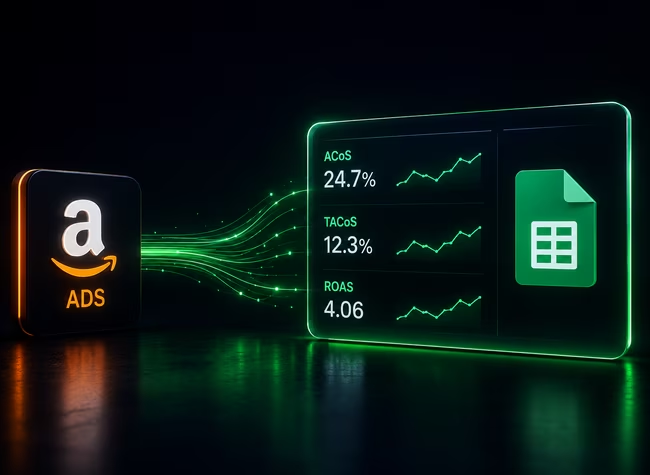
✅ Amazon advertising metrics are easier to trust when ACOS, ROAS, spend, sales, clicks, impressions, orders, SKU, and ASIN sit beside total sales and inventory.
✅ ACOS measures ad spend against ad-attributed sales, while TACoS measures ad spend against total sales, so TACoS shows whether advertising is supporting the whole business.
✅ Calculating Total ACoS (TACoS) in Google Sheets is the only way to see if your ad spend is actually growing your brand or just cannibalizing your organic profit.
I’ve run Amazon ads since Sponsored Products was the main PPC option, and the mistake I keep seeing is simple: you check ACoS, skim spend, glance at sales, and move on.
I get it. ACoS is easy to understand. Spend $100, get $500 in ad-attributed sales, and ACoS is 20%. Clean number. Easy to explain.
But ACoS does not tell you whether that sale made money. It does not tell you whether organic sales moved. It does not tell you whether the buyer was new to your brand. And it does not tell you whether clicks are getting more expensive while your listing converts worse.
That is why Amazon advertising metrics belong in a sheet when your team already reviews the rest of the business there. The ad console gives you PPC numbers. Your sheet is where those numbers can sit beside total sales, SKU data, and the weekly analysis your team already uses.
For the wider Amazon data setup, use the Amazon seller data to Google Sheets guide. This article stays on PPC metrics only.
Default Amazon Ads view gives you metrics without enough context
Amazon Ads gives you the campaign numbers. I just don’t like using that screen as the place where the team does deeper analysis.
You can see impressions, clicks, spend, sales, and ACoS in one place. Good start. But if you stop there, you are reading the activity without the full outcome.
Here’s the easy way to separate them:
- Activity metrics tell you what happened before the sale: impressions, clicks, CTR, CPC, and spend.
- Outcome metrics tell you what happened after the click: sales, orders, conversion, ACoS, ROAS, TACoS, and new-to-brand data.
- Business-context metrics connect PPC to the SKU: total sales, organic sales, margin, and inventory status.
Amazon defines ACoS as ad spend divided by ad-attributed revenue, and ROAS as ad-attributed revenue divided by ad spend. You can see the official definitions in Amazon’s ACoS guide and its advertising basics guide.
So the issue is not that Amazon gives you bad metrics. The issue is that each metric only answers one small question. You need to know which question you are asking before you trust the answer.
The core PPC metrics and the job each one does
A good PPC sheet should make the metric’s job obvious before anyone starts changing bids or budgets.
Here’s the plain version I’d want my own team using:
ACoS is useful when you want to know how much ad cost it took to produce attributed ad sales. I still use it. I just do not let it run the whole conversation.
ROAS is the same relationship flipped around. ACoS says cost as a percentage of ad sales. ROAS says sales per dollar of ad spend.
TACoS is where the sheet starts earning its keep. It needs total sales, so you cannot get the full picture from the ad account alone. If ACoS improves but TACoS stays flat, you may be paying for sales you were already getting. If TACoS drops while total sales grows, now you have a stronger signal.
CTR and CVR need to be read together. High CTR with weak CVR means people are clicking but not buying. Low CTR with good CVR means the offer may convert once the right shopper gets there, but the ad is not earning enough clicks.
And yes, this is where technical PPC talk gets overcomplicated. Think of it like a store aisle. Impressions are people walking past the aisle. Clicks are people picking up the product. Orders are people taking it to checkout. ACoS tells you what you paid to get those orders. TACoS tells you whether the whole store section is healthier because of the ads.
The metrics I would check by decision
You do not need every advertising metric in front of you every morning. That becomes another wall of numbers nobody wants to own.
I would split the metrics by the decision you are trying to make.
- Is spend getting away from you?
Start with spend, CPC, and clicks. If spend is rising because clicks cost more, that is a different problem than spend rising because you are getting more traffic. - Is the ad getting attention?
Use impressions and CTR. Impressions show how much exposure you got. CTR shows whether shoppers responded enough to click. - Is the product converting after the click?
Use clicks, orders, and CVR. If shoppers click and do not buy, I would look at the listing, price, reviews, main image, and offer quality before pretending the keyword is the whole issue. - Is paid traffic efficient?
Use ACoS and ROAS. These are paid-traffic efficiency metrics. Good for campaign-level analysis, weak for full product health. - Is advertising helping the whole SKU?
Use TACoS and total sales. This is where the Amazon sales tracker in Google Sheets becomes useful because PPC data needs total sales to make sense. - Is the campaign bringing in new buyers?
Use new-to-brand orders and new-to-brand sales where Amazon makes those metrics available. I would not treat NTB as a universal PPC metric because availability depends on campaign type and report.
For budget decisions, I would keep that separate and use the Amazon advertising budget guide. This page is about reading the metrics and getting them into Sheets, not telling you how to change spend.
The sheet structure should separate raw data from analysis
I keep raw ad data, calculations, and analysis tabs separate because ad metrics get messy fast once someone starts typing formulas into the import range.
I would not manage PPC from a spreadsheet. I would analyze PPC from one. Bid changes belong in Amazon Ads or your PPC tool, but the deeper question, whether ad spend makes sense beside total sales, SKU movement, and margin, belongs in the sheet.
Same principle as order data. Keep the source clean.
Here’s the tab setup I would use for Amazon PPC metrics in Google Sheets:
We show what we support in our docs.
Everything from Sponsored Products fields such as CampaignID, Campaign Name, Spend, Sales, Orders, ROAS, ACOS, Clicks, CTR, Impressions, CPC, and Conversion.
Sponsored Brands fields including Impressions, Clicks, CPC, CTR, ACOS, ROAS, Spend, Sales14d, Purchases14d, and new-to-brand fields in supported Sponsored Brands outputs.
Sponsored Display fields include Campaign Name, Purchases, SalesClicks, CPC, CTR, AcosClicks, RoasClicks, Clicks, ViewClickThroughRate, DetailPageViews, ASIN, SKU, and Spend depending on the report output. The field list is on our Gorilla ROI supported data page.
I would keep SP, SB, and SD separate in raw tabs. You can roll them up later, but don’t mix the source rows first. That is how you end up comparing numbers that were not measured the same way.
Attribution timing can make recent PPC numbers move
Amazon advertising numbers can change after the first pull because sales can be attributed after the click.
This is the part that makes weekly PPC sheets feel strange. You pull Monday’s data, then a sale gets attributed later. The original row was not “wrong.” It just was not finished.
Amazon’s Ads API metrics documentation references attributed conversion events within 14 days for Sponsored Brands metrics, and Amazon’s support content explains that campaign sales attribution can use lookback windows where purchases after an ad interaction still count back to the ad. Amazon also notes a 14-day standard lookback window for views in its ad campaign attribution support content.
So here’s my rule: do not treat the most recent ad rows like closed accounting records.
Refresh recent date ranges. Keep the date range consistent. And when you compare this Monday to last Monday, remember that attribution timing may be part of the movement.
For deeper API-level detail, use the Amazon Advertising API article. That article can go deeper into access and reporting mechanics. This one should stay on metric meaning and sheet structure.
Where Gorilla ROI fits in the PPC workflow
Gorilla ROI fits when your team already uses Google Sheets and the painful part is getting updated PPC rows into the workbook.
We are a Google Sheets data hub for ecommerce operations. For this article, the use case is narrow: pull Amazon advertising metrics into Sheets so your team can analyze spend, sales, ACoS, ROAS, TACoS, clicks, impressions, and conversion without another bulk report download.
The biggest time saver is TACoS. Manually, TACoS means you need ad spend from the ad side and total sales from the sales side. Then you need the same dates, the same SKU or ASIN grouping, and the same refresh timing. One mismatch and the number looks precise while being wrong.
Gorilla ROI pulls the ad data and the sales data into the same Google Sheet structure, so your formulas can work from refreshed source tabs instead of copied CSVs.
Kyle, co-founder of an 8-figure brand running Amazon, Shopify, and Walmart, put it this way:
“Gorilla ROI really is the cornerstone for data and decisions for our business. And we wouldn't be able to operate without it.”
I would not use Gorilla ROI if you want software to tell you which bid to change. That is campaign management. I would use it if your team already knows what it wants to analyze and the repeated work is getting clean PPC data into Google Sheets.
Amazon advertising metrics to Google Sheets video
You may not need this setup yet
If your Amazon ad spend is still small, a clean CSV export may be enough.
I would not add a connected PPC data layer just because it sounds cleaner. If you run only Sponsored Products, check ads once a week, and one person can export the report without breaking the sheet, keep it simple. One SP_RAW tab and one calculation tab can do the job.
You need a stronger setup when:
- SP, SB, and SD data all need to be read together.
- TACoS matters because you are tying ad spend to total sales.
- More than one person touches the sheet.
- Your team checks PPC data weekly or daily.
- You keep rebuilding the same report instead of analyzing it.
- You need ad metrics sitting beside SKU, ASIN, and sales data.
Nothing magical here. The setup earns its place when the manual reporting work becomes the work.
Quick PPC metrics checklist before the next pull
Use this before your next ad report export or scheduled refresh.
- Keep SP_RAW, SB_RAW, and SD_RAW separate before you roll anything up.
- Pull spend, sales, orders, clicks, impressions, CTR, CPC, ACoS, ROAS, and conversion first.
- Add total sales if you want TACoS. Ad data alone cannot give you TACoS.
- Use the same date range across ad data and sales data.
- Treat the newest dates as still moving because attribution can update.
- Lock raw tabs before you share the sheet.
- Put formulas in AD_CALCS, not in raw import tabs.
- Use PPC_ANALYSIS for the team-facing view.
- Use AD_AUDIT to flag spend with no orders, missing campaign IDs, blank ASINs, and stale refresh dates.
If this checklist feels like too much for your current PPC setup, that is useful information. Keep the sheet smaller until your ad workflow needs more.
Amazon advertising metrics FAQ
What are the most important Amazon advertising metrics?
The core Amazon advertising metrics are spend, sales, orders, ACoS, ROAS, clicks, impressions, CTR, CPC, and conversion. I would add TACoS when you can connect ad spend to total sales, because that shows how ad spend sits against the whole SKU.
What is ACoS in Amazon advertising?
ACoS means advertising cost of sales. The formula is ad spend divided by ad-attributed sales, then multiplied by 100. If you spend $100 and Amazon attributes $500 in sales, ACoS is 20%.
What is ROAS in Amazon advertising?
ROAS means return on ad spend. The formula is ad-attributed sales divided by ad spend. If you spend $100 and Amazon attributes $500 in sales, ROAS is 5.
What is TACoS in Amazon PPC?
TACoS means total advertising cost of sales. The formula is ad spend divided by total sales. It is useful because it shows how PPC spend compares to the full product sales base, not only the ad-attributed sales number.
Why does ACoS differ from TACoS?
ACoS uses ad-attributed sales. TACoS uses total sales. ACoS tells you how the paid traffic performed inside Amazon’s attribution rules. TACoS tells you whether ad spend makes sense against the whole SKU.
Can Amazon advertising metrics go directly into Google Sheets?
Yes. You can export a CSV, build a custom Amazon Ads API connection, or use a Google Sheets connector. A CSV works for one-time checks. A connected sheet makes more sense when your team checks the same PPC metrics every week.
Is Amazon Ads Console enough for PPC analysis?
Amazon Ads Console is enough for campaign management. Google Sheets becomes useful when you need PPC metrics beside SKU sales, total sales, COGS, or other data your team already uses outside the ad console.












.webp)