.svg "Gorilla ROI")

Article Summary
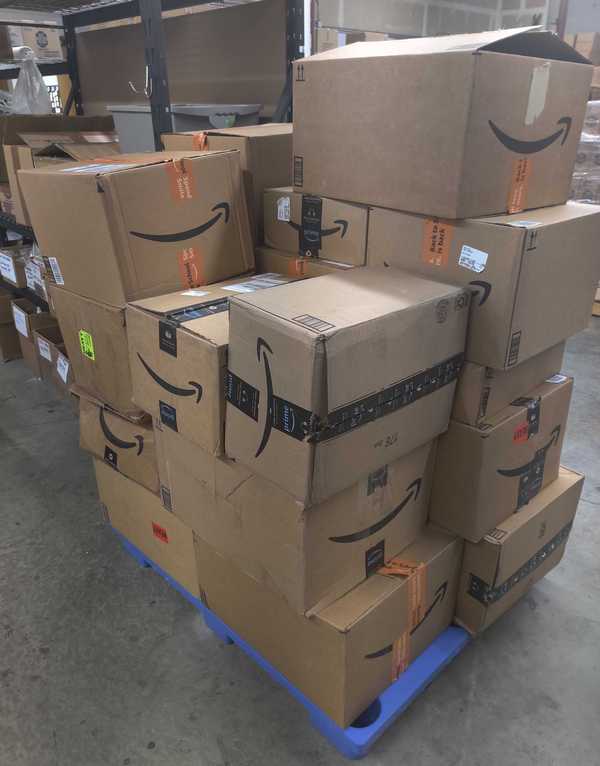
✅ Amazon assigns every returned FBA unit one of six condition codes. The code determines who is responsible, what happens to the unit, and whether you are owed money.
✅ DAMAGED and CARRIER_DAMAGED are the two conditions where Amazon takes ownership and compensates you. The other four leave the unit in your inventory as sellable or unsellable.
✅ The 33 customer return reason codes in your FBA Customer Returns report are product intelligence. Grouped by ASIN over 30 days, they identify listing problems, manufacturing failures, and buyer behavior patterns before Amazon flags your account.
We had a manager whose job was to review our returns report every week and flag anything unusual. She had been doing it for four months. Every week she brought a list of return reasons: DEFECTIVE, NOT_AS_DESCRIBED, QUALITY_UNACCEPTABLE. Every week we'd look at the ASIN and think about the listing copy.
One week I looked over her shoulder while she worked. She was filtering by the reason column. She had never looked at the disposition column. She had no idea what DAMAGED meant versus CUSTOMER_DAMAGED. Neither did I, really.
We went back through six months of reports. Seventeen units marked DAMAGED with no reimbursement entry. Amazon owed us for every one. The data was in the report the whole time. We just weren't reading the right field first.
What Misreading Return Condition Codes Costs You
The Condition Code Decides What Happens Next, Not the Return Reason
When a return arrives, the first field to read is the condition code (disposition). Not the return reason the customer selected.
The disposition is what Amazon's warehouse assigned after physically inspecting the unit. It determines whether Amazon owes you money, whether the unit goes back to your active inventory, or whether it sits in your unfulfillable stock accumulating storage fees. A customer can return a unit citing DEFECTIVE. Amazon can inspect it and assign SELLABLE. The reason is what the customer said. The condition code is what actually happened.
Once you have the condition code, the return reasons become useful, but only when you group them by ASIN across a date range. One NOT_AS_DESCRIBED on one order is noise. Eight NOT_AS_DESCRIBED on one ASIN in thirty days is a listing problem.
Amazon's 6 FBA Return Condition Codes
Per the FBA Customer Returns report, Amazon assigns every returned unit one of the following disposition values after inspection at the fulfillment center.
Source: Amazon Seller Central, FBA Customer Returns report

What Each Condition Code Requires From You
DAMAGED and CARRIER_DAMAGED are the two conditions that trigger reimbursement eligibility. For every unit returned under either code, check your Reimbursements report for a matching entry. If it is missing, you have an open claim. The full rules on claim windows, eligibility, and how Amazon calculates the payout are in the FBA inventory reimbursement policy guide.
The Complete FBA Customer Return Reason Codes
Every return in your FBA Customer Returns report includes a reason code the customer selected at the time of the return request. These are the exact 33 codes Amazon uses, pulled directly from the FBA Customer Returns report documentation.
What Return Reason Codes Signal When You Group Them by ASIN
Individual return reason codes on individual orders mean almost nothing. The same code appearing five or more times on one ASIN within 30 days means your team needs to act. Here is how to read them by category.
Listing problems: fix the page, not the product
ORDERED_WRONG_ITEM, MISORDERED, NOT_AS_DESCRIBED, NOT_COMPATIBLE, APPAREL_TOO_SMALL, APPAREL_TOO_LARGE, APPAREL_STYLE, JEWELRY_TOO_SMALL, JEWELRY_TOO_LARGE. When these cluster on one ASIN, the listing is setting the wrong expectations. Your product is fine. The description, sizing chart, or images are not doing their job.
Product or manufacturing problems: fix the product
DEFECTIVE, QUALITY_UNACCEPTABLE, WARRANTY, MISSING_PARTS, JEWELRY_BATTERY, JEWELRY_BAD_CLASP, JEWELRY_LOOSE_STONE, JEWELRY_NO_CERT, JEWELRY_NO_DOCS. When these cluster on one ASIN, the product is failing in a consistent way. Five returns citing the same defect code in 30 days is a supplier conversation. Ten is a redesign.
Fulfillment problems: fix the process
DAMAGED_BY_FC, DAMAGED_BY_CARRIER, MISSING_PARTS, EXTRA_ITEM, SWITCHEROO. These point to packing, labeling, or carrier handling failures. SWITCHEROO specifically means Amazon shipped the wrong item. That is Amazon's error and worth investigating for reimbursement eligibility given the associated DAMAGED or CARRIER_DAMAGED condition code.
Buyer behavior: no product fix required
FOUND_BETTER_PRICE, NO_REASON_GIVEN, UNWANTED_ITEM, UNAUTHORIZED_PURCHASE. These are not signals about your product. A high concentration of FOUND_BETTER_PRICE on one ASIN may warrant a pricing review. UNAUTHORIZED_PURCHASE indicates potential fraud on the buyer's account.
Logistics failures: no product issue
MISSED_ESTIMATED_DELIVERY and all five UNDELIVERABLE codes. These have nothing to do with your product quality. High MISSED_ESTIMATED_DELIVERY rates in a concentrated period point to carrier or peak season delays.
Return Status Codes: What Happens to the Unit After Amazon Processes It
After the return is processed at the fulfillment center, the status field in your FBA Customer Returns report tells you the unit's current state. These are the exact status values from Amazon's documentation.
The status field is where teams miss money and miss action windows. A unit showing Reimbursed with no matching entry in your Reimbursements report has not posted yet. Allow 5 days before filing a claim. A unit showing "To be autoremoved" in CUSTOMER_DAMAGED or DEFECTIVE condition that you have not inspected is moving toward disposal automatically. Submit a removal order before your automated settings act on it if the unit has any resale value.
How to Access Your FBA Customer Returns Report
In Seller Central, navigate to Reports, then Fulfillment, then Customer Concessions, then FBA Customer Returns. The report can be downloaded manually for any custom date range or scheduled to generate automatically at daily, weekly, 14-day, or 30-day intervals.
For teams reviewing this data on a weekly schedule without manual downloads, the full breakdown of how FBA returns data flows into a live Google Sheet and what to do with it is in the Amazon FBA Returns Data in Google Sheets guide.
Key Terms
FAQ
What is the FBA Customer Returns report?
The FBA Customer Returns report lists every returned FBA unit with the return date, order ID, SKU, ASIN, FNSKU, condition code, return reason, and current status. It is found in Seller Central under Reports, then Fulfillment, then Customer Concessions. Per Amazon, FBA returns do not appear on the Manage Returns page, which is for seller-fulfilled orders only. The report can be scheduled to generate automatically at any frequency you choose.
What is the difference between DAMAGED and CUSTOMER_DAMAGED in an FBA return?
DAMAGED means Amazon takes responsibility: ownership of the unit transfers to Amazon and Amazon compensates you under the FBA inventory reimbursement policy. CUSTOMER_DAMAGED means the unit came back in unsellable condition but Amazon is not at fault. The unit stays in your unfulfillable inventory with no reimbursement. The distinction determines whether you check the Reimbursements report for a payout (DAMAGED) or submit a removal order for inspection (CUSTOMER_DAMAGED).
Which condition codes mean Amazon owes me money?
DAMAGED and CARRIER_DAMAGED are the two disposition codes where Amazon takes ownership and compensates sellers. For every unit returned under either code, cross-reference your Reimbursements report for a matching payout. If no matching entry exists, the unit may qualify for a reimbursement claim. The full eligibility conditions and claim windows are covered in the FBA inventory reimbursement policy guide.
What should I do with CUSTOMER_DAMAGED and DEFECTIVE units?
Both codes leave the unit in your unfulfillable inventory. Do not auto-dispose without inspecting. Submit a removal order to have the units returned for personal review. CUSTOMER_DAMAGED units are not always physically broken. Opened packaging qualifies, and a significant portion are in fully resellable condition. DEFECTIVE units should also be inspected before disposal to confirm whether Amazon or the product is responsible, which affects reimbursement eligibility.
How do I use return reason codes to improve my listings and products?
Filter your FBA Customer Returns report by ASIN and group the reason codes over a 30-day period. Codes in the listing problem category (NOT_AS_DESCRIBED, MISORDERED, APPAREL_TOO_SMALL, NOT_COMPATIBLE) clustering on one ASIN signal a listing fix. Codes in the product problem category (DEFECTIVE, QUALITY_UNACCEPTABLE, MISSING_PARTS, WARRANTY codes) clustering on one ASIN signal a manufacturing or sourcing fix. Act on any ASIN with five or more returns citing the same reason code within 30 days.
How does this connect to the reimbursement recovery process?
The FBA Customer Returns report feeds the customer return claim type within the full reimbursement recovery system. Identifying DAMAGED and CARRIER_DAMAGED units with no matching reimbursement payout is the detection step. Filing and following up on those claims is the case management step. The full three-part recovery system covering all four FBA reimbursement claim types is in the Amazon FBA reimbursement recovery guide.
FBA Returns Weekly Review Checklist
Run this alongside your reimbursement review every week:
- Pull FBA Customer Returns report for the past 7 days and confirm all new return events are captured
- Filter for DAMAGED and CARRIER_DAMAGED units. Cross-reference each against the Reimbursements report for a matching payout
- Flag any DAMAGED or CARRIER_DAMAGED unit with no reimbursement entry as a potential open claim
- Filter for CUSTOMER_DAMAGED and DEFECTIVE units. Submit removal orders for any you have not inspected
- Check status column for units showing "To be auto-removed" that have not been reviewed
- Group return reason codes by ASIN for the past 30 days. Flag any ASIN with 5 or more returns citing the same code
- Confirm SELLABLE units have been returned to your active inventory in Manage FBA Inventory
A DAMAGED unit with no reimbursement entry that sits past the claim window is permanent unrecovered revenue.
Amazon assigns every returned FBA unit a condition code before any other action is taken, and that code determines every financial and inventory outcome that follows. Teams that read the condition code first, cross-reference DAMAGED and CARRIER_DAMAGED units against the Reimbursements report every week, and group return reason codes by ASIN catch both money and product problems that teams running monthly reviews discover only after Amazon has already acted.