.svg "Gorilla ROI")

Review Summary
✅ Hopted is a Chrome extension limited to Amazon only, 2 synced tabs, and daily refreshes.
✅ Hopted processes data inside the browser extension, which slows as row counts grow.
✅ Hopted starts at $33/month and fits small Amazon-only operations.
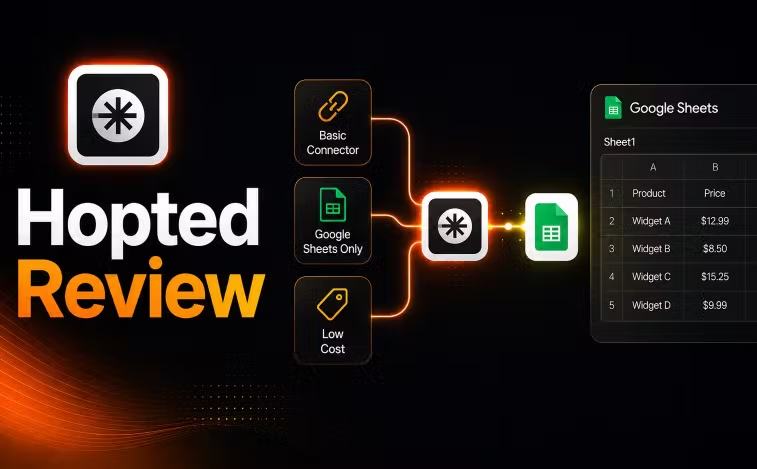
We have been building Amazon to Google Sheets connectors since 2020 and have seen copycats come and go. Here's a Hopted review to help you understand the pros and cons.
This review covers what it actually does, where it runs into problems, and what type of business it fits.
What is Hopted?
Hopted is a Chrome extension that connects only to Amazon for data. Their destination is only Google Sheets but it's through a chrome extension, not a native Google Sheets addon.
Standard imports work like Gorilla ROI where it's point-and-click to build a query which you then save and run. Hopted has a custom formula UI through their formula builder inside the extension.
Hopted is Amazon only. They do not support other platforms such as Shopify, Walmart or any marketing channels.
What Hopted Does Well
If you are starting out on Amazon, have a small product catalog, and want data in a Google sheet without downloading csv files, Hopted covers that job. $33/month is their cheapest plan. You can only pull data into 2 tabs in your spreadsheet. Something I'll get to later.
For a new or solo seller, or if you have only 1 VA you outsource work to, and you don't have many spreadsheets used to run your store, it's a good cheap place to start.
The Custom Formula Problem
Hopted uses a point and click UI, even to create custom calculations which ends up requiring a lot of cumbersome clicks and repetition to get it done.
Hopted also processes formula logic inside the browser extension, not inside the spreadsheet. Building a custom calculation means working through their formula builder UI inside the extension. When you need to update or debug it, you go back into the extension to find what changed instead of looking at the cell directly.
Using native Google Spreadsheet formulas in a cell takes just seconds. You can see it, edit it, copy it, and fix it without opening a separate interface. It's why excel and spreadsheets are still used today despite the advance in technology. If you save formulas and logic inside the connector that you can't see, debugging or just updating becomes a separate job in itself.
The Performance Problem
Because Hopted runs inside a browser extension, the extension handles data processing before anything lands in your sheet. As mentioned, small accounts will be fine. But once you start growing to at least 100 orders a day, that's when things start to get noticeably slow.
Since the extension pulls one row of data at a time from the Amazon reports, the extension runs out of processing capacity, and slows down to a crawl. If you are just running a basic business, it's normal to want to update the data on your sales report, orders report, refunds report, shipments report, inventory report, inventory health report, storage report, fees report, listings report.
Unfortunately, you will have a hard time trying to get all this data.
Hopted's own demo video showed roughly 3 to 4 minutes to load 15 rows with 6 to 7 columns. If you only have 1000 rows, that's going to be several hours in a best case scenario.
In this video, we show a live comparison of Hopted running a query in the background taking 3-4 minutes, while our data loads in 10 seconds with 10x the volume.
Pricing
Hopted has changed their pricing to a non-transparent single price only that starts at $33/mo. As your usage goes up, you will be billed accordingly.
You only get 2 tabs to import data into which updates once every 24 hours. Yes, once a day.
Based on the verbiage, it sounds like if you accidently create multiple tabs and spreadsheets, you will be charged for each tab you use to import data.
Make sure to ask about how many people can access the spreadsheet as that could be limited to just one person too. If you have multiple team members, they will have to pay for access.
Who Hopted Is Right For
- Solo Amazon seller or small team
- Does not require multiple Google Sheets to analyze data
- Smaller Amazon stores
- Amazon only seller
Starting at $33/month, Hopted is the lower-cost starting point for the above specific situation.
If you need more than a daily update, more than two spreadsheet tabs, have a growing inventory of products, share multiple spreadsheets with other users, need consistent, fast and reliable data updates, then Hopted is not a good fit.
Where Gorilla ROI Fits
If you outgrow the Hopted constraints, need more a daily data update, other channels like Shopify and Walmart, it is worth looking at what we built at Gorilla ROI. We pull Amazon, Amazon Ads, Shopify, and Walmart into Google Sheets through a native add-on. Processing happens inside the sheet, not the browser. We like to keep things super simple and just make sure we can get data from your various platforms into any of your Google spreadsheet or destinations, fast.
Alternatives
For a full side-by-side, see our Hopted alternatives guide and a direct head to head Gorilla ROI vs Hopted comparison.
Final Hopted Review Score
Hopted Review Questions
Is Hopted better than Gorilla ROI?
If better means cheaper, then yes Hopted has a lower entry price point. Suited for small Amazon sellers who needs basic reporting in 2 tabs only with only once a day updates.
For a serious seller, brand or growing operation with more data requirements, data sources, a larger catalog, or a team sharing sheets, Gorilla ROI wins hands down. It's why 7 and 8 figure agencies rave about us.
Does Hopted support Shopify or Walmart?
No. As of writing, Hopted only connects Amazon.
What is the difference between Hopted and Gorilla ROI?
Both pull Amazon data into Google Sheets without csv exports. The biggest difference is speed, simplicity and reliability. With Gorilla ROI, you can import 30,000 rows of data in 20 seconds.
You get Amazon, Amazon Ads, Shopify, and Walmart in one sheet, unlimited tabs, unlimited users and data refreshes every 3 hours.
4.8 Rating · 11k+ Downloads · Trusted by Sellers








More Tested Reviews


.svg "Abstract fluid wave design with soft purple gradient")



Power My Analytics

Jungle Scout vs Gorilla ROI



.avif "Glowing abstract purple shape with psychedelic outline")
Try Gorilla ROI Free For 30 Days
Replace the Manual Spreadsheet Work and Save 40 Hours a Month