.svg "Gorilla ROI")

Article Summary
✅ Supermetrics vs Gorilla ROI isn't apples to apples. Supermetrics is a multi-channel marketing data connector built for agencies and analytics teams. It connects 170+ platforms on a query-on-demand architecture.
✅ Gorilla ROI is a narrower Supermetrics alternative for ecommerce teams that need deep data sets for Amazon, Shopify, and Walmart data in Google Sheets.
✅ In our two-month test, larger Amazon account took 10 to 15 minutes to load for Supermetrics, and timed out enough that we decided not to move forward with more testing.
Supermetrics vs Gorilla ROI on your mind?
This article is a one-to-one comparison. For the full category view, see our Gorilla ROI alternatives guide.
I Paid for Supermetrics. Here Is What Our Test Showed.
Last year I subscribed. Here's proof.
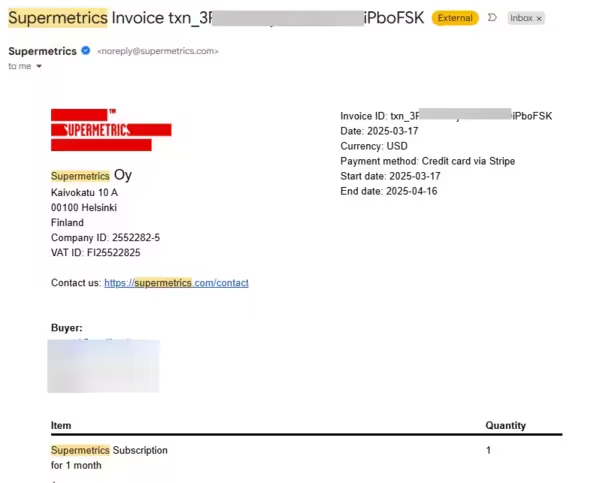
I connected our Amazon account. I opened the sidebar, configured a query for 90 days of order data across our catalog, and clicked "Get Data."
Then I waited.
At the time, the Amazon account I was testing had about 50 SKUs and roughly 200 orders a day.
The goal was simple: connect the account, pull Amazon data into Google Sheets, and see learn more from how the best in the industry did things.
The issue showed up during larger pulls.
A query would run for 10 to 15 minutes. During that time, the sheet stayed in an updating state, so I could not comfortably use the workbook. I would step away, wait it out, come back, and sometimes the query had timed out. Then I had to rerun it.
We ran this as a controlled test for two months before canceling. And the problem compounded: each day of new volume added more data for the next query to process, so the lag grew longer over time. By now, I've realized that Supermetrics is much better suited towards marketers where every new row of data isn't important.
Supermetrics Is Built for Broad Marketing Data
Supermetrics is strongest when the job is pulling data from many marketing and business sources.
Its own documentation describes Supermetrics as a platform with many source connectors, and its pricing is organized around destinations, data sources, users, accounts, refresh frequency, warehouses, and API access.
That makes sense if your team needs data from:
- Google Ads
- Meta Ads
- LinkedIn Ads
- TikTok Ads
- GA4
- Search Console
- CRM tools
- Email platforms
- Shopify
- Amazon sources
- Other marketing channels
If your job is agency-style marketing reporting across many platforms, Supermetrics is a great fit. We clearly don't have the breadth of integrations.
But that is not the same job as running an ecommerce operating workbook.
Amazon, Shopify, and Walmart data has a different shape. You are dealing with orders, SKUs, refunds, fees, settlements, inventory, ad spend, channel mapping, and internal product names. The work is not just “get data into Sheets.” The work is getting the right ecommerce data into a structure your team can use without constant cleanup.
The Real Question is Breadth or Ecommerce Fit
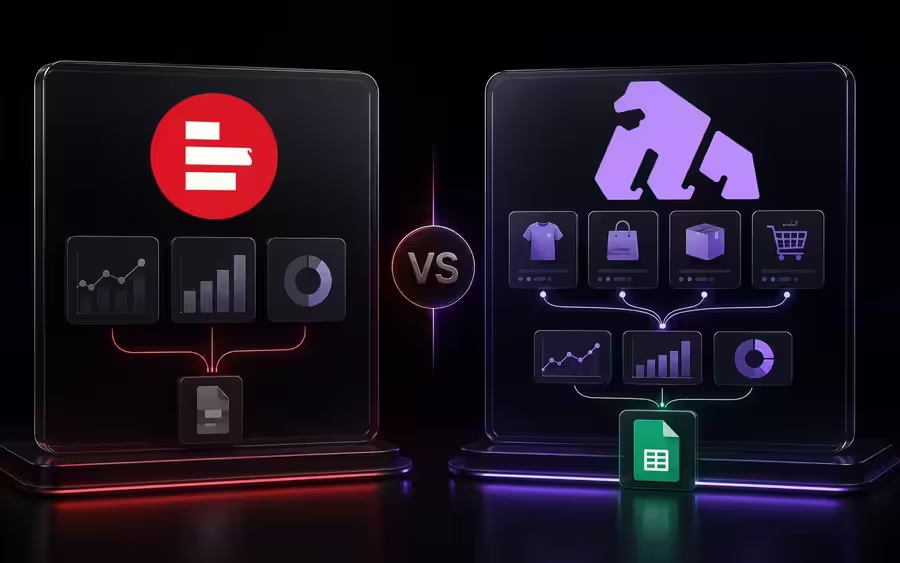
A Supermetrics alternative should not be judged only by connector count.
Connector count matters when your pain is source coverage. If you need one platform to pull from dozens of marketing tools, breadth matters.
But if your pain is ecommerce reporting, the better question is:
Can this tool pull the Amazon, Shopify, and Walmart data my team actually uses, and can it land in Google Sheets in a reliable structure?
Here's an easy comparison table for you.
Query Size Matters More Than Setup
A connector can connect correctly and still be a poor fit for your workflow.
That was our Supermetrics test. Authentication was not the problem. The data puling and waiting process was the problem.
Supermetrics own Google Sheets documentation says large queries can run into Google Apps Script limits, and it recommends shorter date ranges, fewer metrics and dimensions, or splitting big queries into smaller ones.
Their quota documentation also says one query can create many API requests depending on selected metrics and dimensions, and they recommend reducing request size when limits are hit. See Supermetrics daily request quota documentation
Those are reasonable recommendations.
But for ecommerce teams, those workarounds itself becomes a chore and frustrating limitation.
Shorter ranges, split pulls, fewer fields, and reruns may be fine for an analyst managing a controlled report. They are not ideal when your team wants to open the sheet and start working.
That is the practical difference between Supermetrics and Gorilla ROI.
Supermetrics vs Gorilla ROI?
We built Gorilla ROI as a Google Sheets data connector and hub for ecommerce operations.
That means we are not trying to be a universal connector.
Our job is narrower: pull Amazon, Shopify, and Walmart data, ecom related marketing like Meta Ads, with integrations for TikTok, Google Ads right around the corner. Deep dataset that focuses on ecommerce.
That includes workflows like:
- Amazon sales tracking
- Amazon inventory checks
- Amazon fee review
- Amazon settlement review
- Amazon Ads data
- Shopify store data
- Walmart seller data
- SKU-level source tabs
- Multi-channel workbooks
If your main problem is Amazon seller data to Google Sheets, you do not need the longest connector menu. You need ecommerce data to refresh in a structure your team can use.
If your main problem is a multi-channel ecommerce reporting sheet, Amazon, Shopify, and Walmart have to sit together cleanly. That is a different job from broad marketing data collection.
Column Structure Is Where Ecommerce Sheets Win or Lose
A data pull can technically work and still leave your team cleaning the sheet.
You have seen this if an export loads with awkward date fields, inconsistent SKU names, refund rows that do not map cleanly, or channel data that cannot be joined without manual work.
For ecommerce, structure matters. This is why Amazon inventory data into Google Sheets is not the same as a generic import.
Inventory data has to be useful by SKU. Fee data has to help with margin. Refund data has to connect back to product quality. Sales data has to line up by channel and date.
A broad connector moves data. An ecommerce data hub has to make that data easier to work with.
When Supermetrics Is the Better Choice
Supermetrics is the better choice when your main need is broad marketing data coverage.
Use Supermetrics if your team needs:
- Google Ads
- Meta Ads
- LinkedIn Ads
- TikTok Ads
- GA4
- Search Console
- CRM data
- Email marketing data
- Client reporting
- Multiple reporting destinations
- A data warehouse workflow
We are not trying to be the connector for every source in a marketing department.
When Gorilla ROI Is the Better Supermetrics Alternative
Gorilla ROI is the better Supermetrics alternative when your main need is ecommerce data in Google Sheets.
Use us if your questions sound like this:
- Did Amazon sales update?
- Which SKUs are close to stockout?
- Which products had refunds this week?
- Did Shopify orders update in the workbook?
- Can Walmart data be combined with Amazon and Shopify?
- Can I build my own sales performance across channels?
This is the same reason an Amazon sales tracker in Google Sheets matters. Your team does not just need numbers. Your team needs numbers current enough to use when decisions are made.
We Are the Wrong Call in These Cases
We are the wrong call if your main problem is broad marketing data.
If your team needs Google Ads, Meta Ads, LinkedIn Ads, TikTok, GA4, Search Console, CRM data, email data, and client reporting in one place, Supermetrics is closer to that job.
We are also the wrong call if your company has a data warehouse team and wants to pipe many source types into BigQuery, Snowflake, or another destination.
We earn our subscription cost when your team already uses Google Sheets and ecommerce data retrieval is the bottleneck.
My Recommendation
Choose Supermetrics when connector breadth is the bottleneck. Choose Gorilla ROI when an Amazon reporting tool for ecommerce data reliability and spreadsheet usability are the bottleneck.
That is the clean decision.
If you are a marketing analyst pulling from many ad networks and web tools, Supermetrics makes sense. It was built for broad data collection.
If you are an ecommerce founder, manager, or team member trying to run Amazon, Shopify, and Walmart from Google Sheets, I would start with the connector built around that workflow.
For us, the two-month test made the decision clear. At 50 SKUs and about 200 daily orders, 10 to 15 minute query runs and repeated timeouts were enough to show that we should not rebuild our real sheets around that workflow.
That is not a knock on Supermetrics.
It is a fit decision.
Which Supermetrics Alternative Should You Choose?
Here's a final summary.
Common Questions
What is the best Supermetrics alternative for ecommerce sellers?
The best Supermetrics alternative for ecommerce sellers depends on the data you need. If you need broad marketing data across many platforms, Supermetrics may still be the better fit. If you need Amazon, Shopify, and Walmart data inside Google Sheets, Gorilla ROI is the narrower ecommerce-specific alternative.
Is Gorilla ROI better than Supermetrics?
Gorilla ROI is better if your main job is pulling Amazon, Shopify, and Walmart data into Google Sheets for ecommerce operations. Supermetrics is better if your main job is collecting data from many marketing, advertising, CRM, SEO, and web sources.
Is Supermetrics good for ecommerce?
Supermetrics can be useful for ecommerce teams that need broad marketing data. The fit depends on whether ecommerce is the main job or one source inside a larger marketing stack. For ecommerce operations, order data, inventory data, fee data, refund data, and SKU structure matter more than connector count.
Why did you choose a Supermetrics alternative?
We chose a Supermetrics alternative after a two-month test with about 50 Amazon SKUs and roughly 200 daily orders. Larger pulls took 10 to 15 minutes, kept the sheet updating, and timed out enough that we decided not to move our working ecommerce sheets over.
Does Gorilla ROI replace Supermetrics?
Gorilla ROI does not replace Supermetrics for broad marketing data collection. We replace the manual ecommerce spreadsheet workflow for Amazon, Shopify, and Walmart teams who already work in Google Sheets.
Should I use Supermetrics or Gorilla ROI for Amazon data?
Use Supermetrics if Amazon is one source inside a wider marketing data system. Use Gorilla ROI if Amazon sales, inventory, fees, ads, refunds, and SKU-level spreadsheet work are the main job.
Should I use Supermetrics or Gorilla ROI for Shopify data?
Use Supermetrics if Shopify is one of many sources in a marketing stack. Use Gorilla ROI if Shopify needs to sit beside Amazon and Walmart in the same Google Sheets ecommerce workbook.







.webp)